Run the delivery: the stage where won deals stop leaking
From signed contract to handover, Dealerloop puts every delivery on one board with department-gated checklists, real rush approvals, one-upload data capture, licensing e-signing and automatic customer updates.
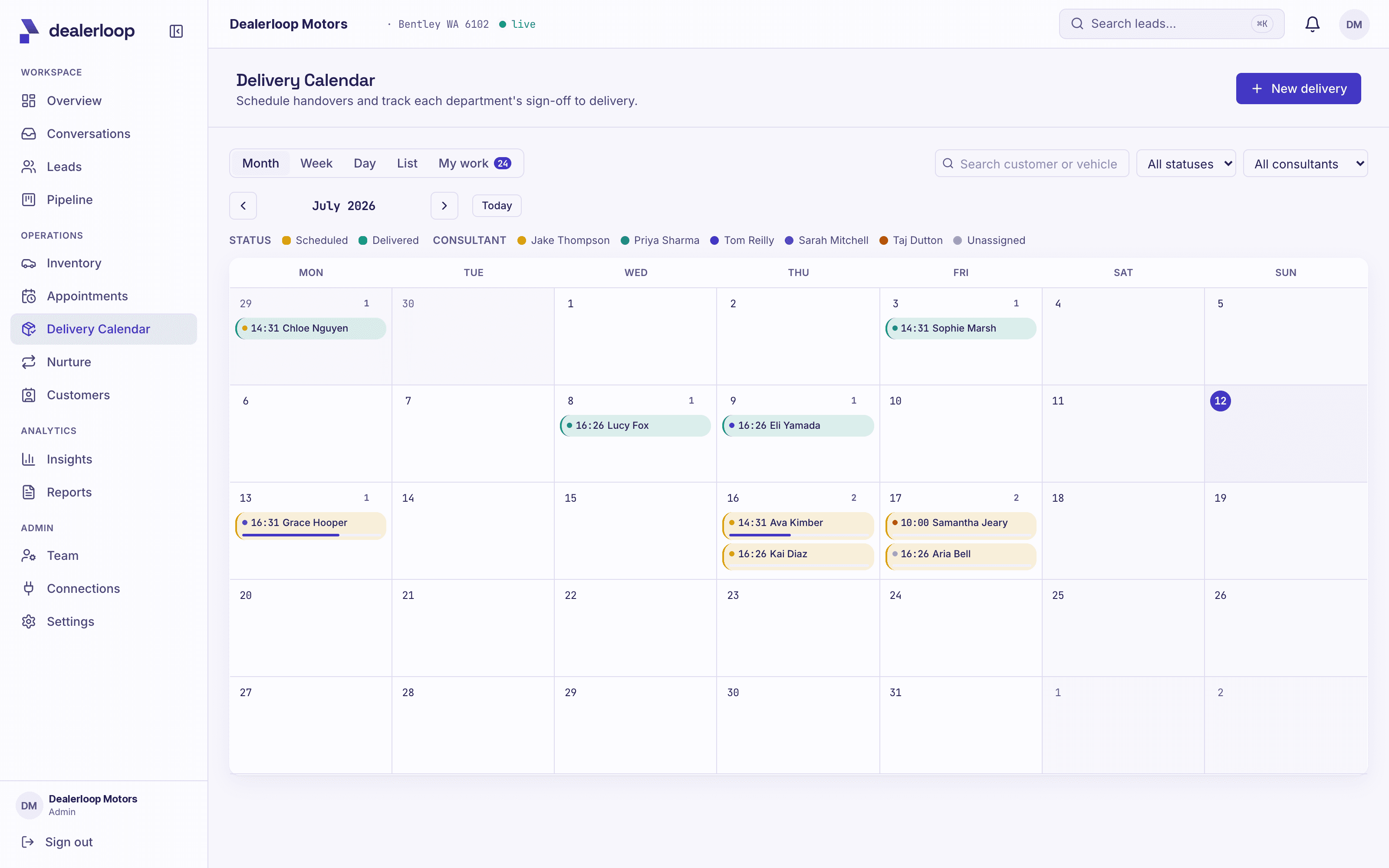
You sold the car. That should be the easy part. Instead the gap between deposit and handover is where plates go missing, finance sits unsettled, the same deal gets typed into three systems, and the customer, who just made their biggest purchase of the year, finds out the time moved by turning up to a locked door.
The "Run the delivery" stage of Dealerloop closes that gap. Here is how each piece works, and why they compound when they run together.
Every handover on one board
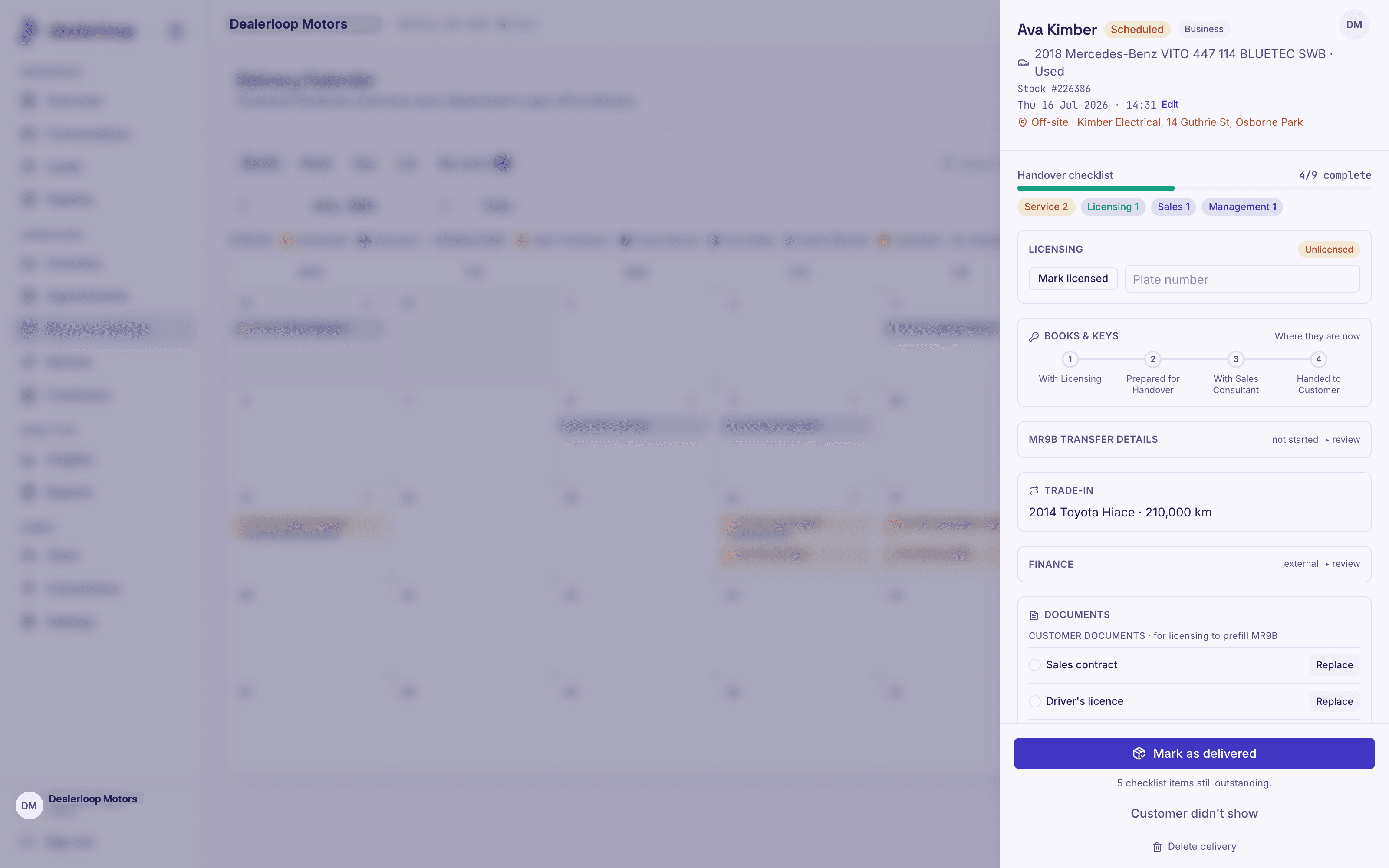
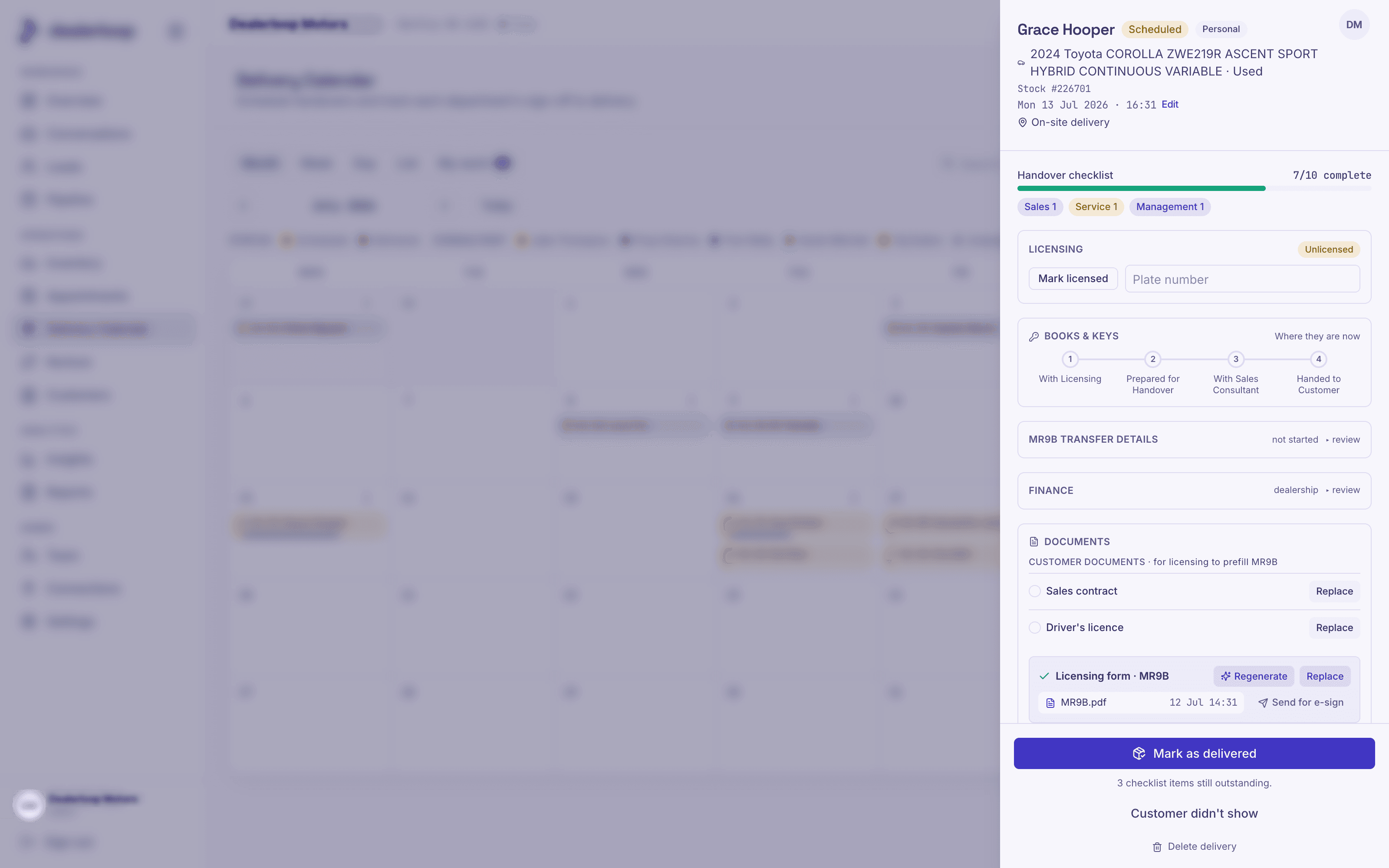
Deliveries coordinated by memory and hallway shouting are deliveries that go out half-done. Dealerloop turns won deals into scheduled deliveries on a single board, with a checklist split across the departments that actually do the work: licensing, finance, service, sales and management.
Each department sees its own outstanding items first. Managers see everything, colour-coded by proximity and progress. Trade-ins, finance stage, plate swaps and the on-site or off-site delivery details all live on the one delivery record, so nothing depends on the right person remembering the right thing at the right moment.
The checklist will not let a car out half-done. That single rule is what turns a board into a safeguard.
Rush deliveries with a real yes
Rushed handovers are where mistakes and margin leaks live, and they happen because saying no in the moment is hard. A delivery booked inside the notice window cannot just be waved through: it can only be booked as a rush request, which routes to management with the salesperson's stated reason attached.
Managers approve or reject with a reason of their own. The outcome notifies the requester and stamps who approved it and when. Rejected rushes stay visibly rejected, so the classic pressure play of quietly re-asking is out in the open.
One upload, no double entry
The same deal typed into three systems by three people is three chances for a typo. Dealerloop asks for one thing: the signed sales contract. It is read automatically, capturing the customer (name, mobile, email), the sold vehicle (year, make, model, VIN, stock number, colours) and any trade-in.
Those details are matched to existing records where they exist and created cleanly where they do not, with provenance tagged so later DMS data can win. The delivery record and the licensing paperwork prefill from that same capture, and documents are stored privately behind access-controlled links.
This is the same discipline Dealerloop applies earlier in the journey, where one customer stays one thread instead of splitting into three leads. In delivery, one upload becomes one clean record.
Licensing e-signed from the couch
Chasing a wet signature on licensing paperwork delays handovers by days. Dealerloop prefills the WA licensing transfer form from the captured deal and sends it for e-signature, pinned to the correct applicant fields so the customer can only sign where they should.
Sending, viewing and signing are all tracked on the delivery, and the signed PDF stores against the record automatically. The request presents the dealership as the sender, not some unfamiliar third-party tool. For the full walk-through, see licensing e-signed from the couch.
Updates the customer actually gets
Booking a delivery texts the customer the confirmed time and place. Rescheduling texts the change. The day before, a reminder goes out. The customer never has to wonder, and nobody on the floor has to remember to phone.
Those messages respect quiet hours, falling back to email overnight, honour consent, and carry an opt-out on every send. If the customer replies because life happened, that reply lands in the shared inbox for the team to handle like any other conversation.
Where it compounds
Run each of these on its own and you have five small improvements. Run them together and the effect stacks: the contract you uploaded once prefills the checklist, the licensing form and the delivery record; the board keeps every department honest; the rush gate keeps the panicked ones accountable; the e-sign comes back without a drive across town; and the customer hears every change automatically. The silent window between deposit and delivery stops being the place gross and CSI quietly go missing.
Run the delivery is one stage of everything Dealerloop does, and it plugs into the wider journey covered in the whole loop. Book a demo and we will walk your team through a live delivery, board to handover.
Frequently asked questions.
- How does Dealerloop handle rush or same-day deliveries?
- A delivery booked inside the notice window can only be booked as a rush request. It routes to management with the salesperson's stated reason, and a manager approves or rejects with a reason of their own. The requester is notified, the outcome stamps who approved it and when, and rejected rushes stay visibly rejected so re-asking is transparent.
- Do we have to re-enter deal details for the delivery?
- No. The salesperson uploads the signed sales contract once and it is read automatically, capturing the customer, the sold vehicle and any trade-in. Those details match to existing records or create clean new ones, and both the delivery record and licensing paperwork prefill from the same capture.
- Can customers e-sign licensing paperwork remotely?
- Yes. The WA licensing transfer form is prefilled from the captured deal and sent for e-signature, pinned to the correct applicant fields. Sending, viewing and signing are tracked on the delivery, the signed PDF stores against the record automatically, and the request presents the dealership as the sender.
See what closing the loop is worth on your own numbers.